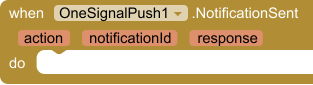
NotificationSent
EventFired when OneSignal accepted a send or schedule. action is the method name. notificationId can be used with GetNotification or CancelNotification.
| Parameter | Type |
|---|---|
| action | text |
| notificationId | text |
| response | any |
Send OneSignal push notifications, and receive them on this device.
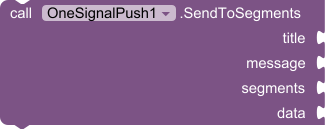
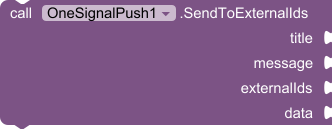
OneSignalPush sends through the OneSignal REST API and receives on the phone through Firebase, which is how OneSignal delivers Android pushes. To receive, set AppId, connect the same Firebase project in the OneSignal dashboard (Google Android / FCM), and call StartReceiving or paste google-services.json. The Firebase Android app package must be your App Inventor package name. Subscribed returns this device's subscription id. NotificationReceived fires when a push arrives, and NotificationOpened fires when it is tapped. Receiving uses the App ID only. The REST API key is only for sending, so keep it in an admin app you trust. Android 5.0 (API 21) or newer, with Google Play services.
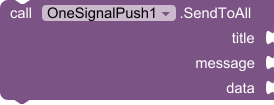
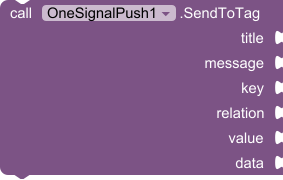
Send OneSignal pushes from an admin app, and receive them on this device. Set AppId, connect the same Firebase project in the OneSignal dashboard, then call StartReceiving. Keep RestApiKey out of the app your users install.
Fired when OneSignal accepted a send or schedule. action is the method name. notificationId can be used with GetNotification or CancelNotification.
| Parameter | Type |
|---|---|
| action | text |
| notificationId | text |
| response | any |
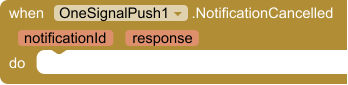
Fired when a scheduled notification was cancelled.
| Parameter | Type |
|---|---|
| notificationId | text |
| response | text |
Fired with delivery stats from GetNotification. response is the full JSON as a dictionary.
| Parameter | Type |
|---|---|
| notificationId | text |
| successful | number |
| failed | number |
| errored | number |
| converted | number |
| remaining | number |
| response | any |
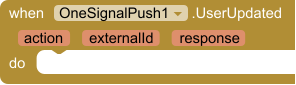
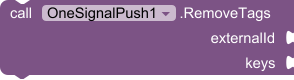
Fired after CreateUser, SetTags, RemoveTags or DeleteUser succeeds.
| Parameter | Type |
|---|---|
| action | text |
| externalId | text |
| response | any |
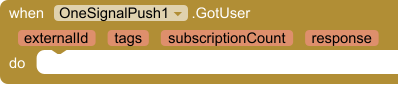
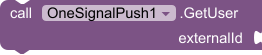
Fired with the result of GetUser.
| Parameter | Type |
|---|---|
| externalId | text |
| tags | any |
| subscriptionCount | number |
| response | any |
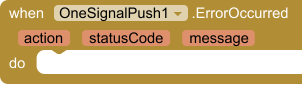
Fired when a request fails. action is the method name, statusCode is the HTTP status (0 for local errors such as missing keys or no internet).
| Parameter | Type |
|---|---|
| action | text |
| statusCode | number |
| message | text |
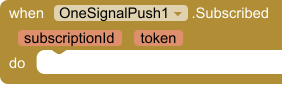
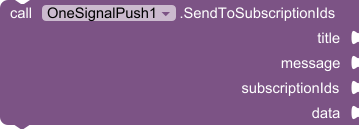
This device can receive pushes. subscriptionId is the OneSignal subscription id (use it with SendToSubscriptionIds). token is the Firebase token.
| Parameter | Type |
|---|---|
| subscriptionId | text |
| token | text |
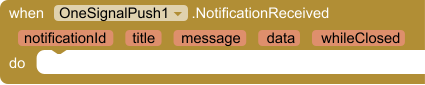
A push arrived on this device. data is the extra key/value pairs. whileClosed is true when it arrived with no screen open and is delivered now.
| Parameter | Type |
|---|---|
| notificationId | text |
| title | text |
| message | text |
| data | any |
| whileClosed | boolean |
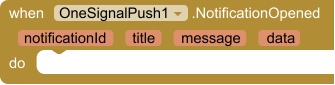
The user tapped a notification and the app opened. data is the extra key/value pairs.
| Parameter | Type |
|---|---|
| notificationId | text |
| title | text |
| message | text |
| data | any |
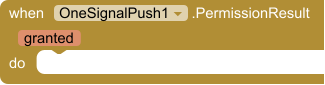
Result of RequestNotificationPermission.
| Parameter | Type |
|---|---|
| granted | boolean |

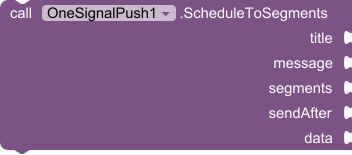
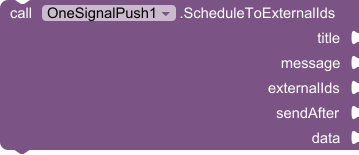



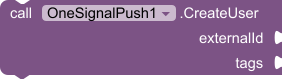
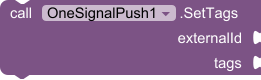




























 MIT App Inventor
 Kodular
 Niotron
 Android Builder
 Thunkable
$7.99
Read one incoming OTP SMS with Google's SMS Retriever API. No SMS permission and no inbox access.
$7.99
Shrink a PDF on the device by re-encoding pages. No internet and no file upload.
$7.99
Firebase Cloud Messaging push notifications: device tokens, topics, tray notifications, tap handling, and optional HTTP v1 sending.
Free
Encrypt and decrypt strings with AES GCM/CBC support and automatic key utilities.